

[two_fourth class=”product-top” last=”no” ]
[image url=”https://maxibit.se/wp-content/uploads/2014/07/nw_top.jpg” link=”” title=”Beachflag Biking” size=”large” target=”” lightbox=”false” align=”left” autoheight=”true” ]
[/two_fourth]
[two_fourth class=”product-top” last=”yes” ]
Network: all metal, no fuss
Network is unique in that it is made entirely from metal. It is modular and flexible and can be manipulated to suit your exact needs. It’s quite simply, lego for adults! Network is perfect for:
- Large scenes and company events
- Press conferences and sporting events
- Displays and booths in shopping centres
- Trade fairs and career days
[button href=”http://shop.maxibit.com/product-category/network/” colorstart=”#FFFFFF” colorend=”#000000″ colortext=”#FFFFFF” icon_size=”14″ class=”” target=”_blank” color=”the-salmon-dance-3″ align=”horizontal” width=”normal” icon=”icon-arrow-right” ]Order here[/button]
[/two_fourth]
[clear]
[space]
[space]
[box_title ]Product Gallery: Network[/box_title]
[image url=”https://maxibit.se/wp-content/uploads/2014/07/nw_detail_1.jpg” link=”” title=”Network detail” size=”small” target=”” lightbox=”true” align=”left” autoheight=”false” ]
[image url=”https://maxibit.se/wp-content/uploads/2014/07/nw_detail_2.jpg” link=”” title=”Network detail” size=”small” target=”” lightbox=”true” align=”left” autoheight=”false” ]
[image url=”https://maxibit.se/wp-content/uploads/2014/07/nw_detail_3.jpg” link=”” title=”Network detail” size=”small” target=”” lightbox=”true” align=”left” autoheight=”false” ]
[image url=”https://maxibit.se/wp-content/uploads/2014/07/nw_detail_4.jpg” link=”” title=”Network detail” size=”small” target=”” lightbox=”true” align=”left” autoheight=”false” ]
[image url=”https://maxibit.se/wp-content/uploads/2014/07/nw_detail_5.jpg” link=”” title=”Network detail” size=”small” target=”” lightbox=”true” align=”left” autoheight=”false” ]
[image url=”https://maxibit.se/wp-content/uploads/2014/07/nw_detail_6.jpg” link=”” title=”Network detail” size=”small” target=”” lightbox=”true” align=”left” autoheight=”false” ]
[image url=”https://maxibit.se/wp-content/uploads/2014/07/nw_gallery_1.jpg” link=”” title=”Network detail” size=”small” target=”” lightbox=”true” align=”left” autoheight=”false” ]
[image url=”https://maxibit.se/wp-content/uploads/2014/07/nw_gallery_2.jpg” link=”” title=”Network detail” size=”small” target=”” lightbox=”true” align=”left” autoheight=”false” ]
[image url=”https://maxibit.se/wp-content/uploads/2014/07/nw_gallery_3.jpg” link=”” title=”Network detail” size=”small” target=”” lightbox=”true” align=”left” autoheight=”false” ]
[image url=”https://maxibit.se/wp-content/uploads/2014/07/nw_gallery_4.jpg” link=”” title=”Network detail” size=”small” target=”” lightbox=”true” align=”left” autoheight=”false” ]
[image url=”https://maxibit.se/wp-content/uploads/2014/07/nw_gallery_5.jpg” link=”” title=”Network detail” size=”small” target=”” lightbox=”true” align=”left” autoheight=”false” ]
[image url=”https://maxibit.se/wp-content/uploads/2014/07/nw_gallery_6.jpg” link=”” title=”Network detail” size=”small” target=”” lightbox=”true” align=”left” autoheight=”false” ]
[image url=”https://maxibit.se/wp-content/uploads/2014/07/nw_gallery_7.jpg” link=”” title=”Network detail” size=”small” target=”” lightbox=”true” align=”left” autoheight=”false” ]
[image url=”https://maxibit.se/wp-content/uploads/2014/07/nw_gallery_8.jpg” link=”” title=”Network detail” size=”small” target=”” lightbox=”true” align=”left” autoheight=”false” ]
[image url=”https://maxibit.se/wp-content/uploads/2014/07/nw_gallery_9.jpg” link=”” title=”Network detail” size=”small” target=”” lightbox=”true” align=”left” autoheight=”false” ]
[image url=”https://maxibit.se/wp-content/uploads/2014/07/nw_gallery_10.jpg” link=”” title=”Network detail” size=”small” target=”” lightbox=”true” align=”left” autoheight=”false” ]
[image url=”https://maxibit.se/wp-content/uploads/2014/07/nw_gallery_11.jpg” link=”” title=”Network detail” size=”small” target=”” lightbox=”true” align=”left” autoheight=”false” ]
[image url=”https://maxibit.se/wp-content/uploads/2014/07/nw_gallery_12.jpg” link=”” title=”Network detail” size=”small” target=”” lightbox=”true” align=”left” autoheight=”false” ]
[image url=”https://maxibit.se/wp-content/uploads/2014/07/nw_gallery_13.jpg” link=”” title=”Network detail” size=”small” target=”” lightbox=”true” align=”left” autoheight=”false” ]
[image url=”https://maxibit.se/wp-content/uploads/2014/07/nw_gallery_14.jpg” link=”” title=”Network detail” size=”small” target=”” lightbox=”true” align=”left” autoheight=”false” ]
[image url=”https://maxibit.se/wp-content/uploads/2014/07/nw_gallery_15.jpg” link=”” title=”Network detail” size=”small” target=”” lightbox=”true” align=”left” autoheight=”false” ]
[image url=”https://maxibit.se/wp-content/uploads/2014/07/nw_gallery_16.jpg” link=”” title=”Network detail” size=”small” target=”” lightbox=”true” align=”left” autoheight=”false” ]
[image url=”https://maxibit.se/wp-content/uploads/2014/07/nw_gallery_17.jpg” link=”” title=”Network detail” size=”small” target=”” lightbox=”true” align=”left” autoheight=”false” ]
[image url=”https://maxibit.se/wp-content/uploads/2014/07/nw_gallery_18.jpg” link=”” title=”Network detail” size=”small” target=”” lightbox=”true” align=”left” autoheight=”false” ]
[clear]
[space]
Network frost: shelving system
[image url=”https://maxibit.se/wp-content/uploads/2014/07/frost_white_1.jpg” link=”” title=”Network detail” size=”small” target=”” lightbox=”true” align=”left” autoheight=”false” ]
[image url=”https://maxibit.se/wp-content/uploads/2014/07/frost_white_2.jpg” link=”” title=”Network detail” size=”small” target=”” lightbox=”true” align=”left” autoheight=”false” ]
[image url=”https://maxibit.se/wp-content/uploads/2014/07/frost_white_3.jpg” link=”” title=”Network detail” size=”small” target=”” lightbox=”true” align=”left” autoheight=”false” ]
[image url=”https://maxibit.se/wp-content/uploads/2014/07/frost_white_4.jpg” link=”” title=”Network detail” size=”small” target=”” lightbox=”true” align=”left” autoheight=”false” ]
[image url=”https://maxibit.se/wp-content/uploads/2014/07/frost_white_5.jpg” link=”” title=”Network detail” size=”small” target=”” lightbox=”true” align=”left” autoheight=”false” ]
[image url=”https://maxibit.se/wp-content/uploads/2014/07/frost_white_6.jpg” link=”” title=”Network detail” size=”small” target=”” lightbox=”true” align=”left” autoheight=”false” ]
[clear]
[space]
[space]
[box_title ]Quick Facts: Network[/box_title]
[one_fourth class=”What is it?” last=”no” ]What is it?
Network is a pop-up walling system that is modular and can be build, like lego, in square sections. It’s panels are laminate for a professional finish. Network can be purchased both straight and curved, and in a formation that is a combination of the two. Also it’s adapted so that you can use our fros shelving system. Network can be built to any widths and can be build up to 5 meters in height.
[/one_fourth]
[one_fourth class=”Where to use it” last=”no” ]Where to use it
Network is a great solution for smaller public events up to the larger trade fair floor. Network works great as a back wall or a solid space devider with print on both sides. Network can be used at sporting events for sponsor backdrops. Network can be used with Maxibit’s Frost shelving system for displaying products. Networks carry case turns into a desk making it a complete booth for smaller events.
[/one_fourth]
[one_fourth class=”Advantages” last=”no” ]Advantages
Networks is a light system that is ultra compact. Is all metal frame makes it one of the smallest pop-ups on the market. It is a modular and you can use it’s curved or straight sections to stack in height and width to create special shapes, just like Lego. You can add shelves for products or small TVs etc. Like all Maxibit’s products it’s easily recycled since it’s made of anodised aluminium.
[/one_fourth]
[one_fourth class=”Size and weight” last=”yes” ]Facts
GRAPHIC MATERIAL:
Laminated paper or digital transparencies, matte or glossy
GRAPHIC SIZE:
Front panel, curved: 68×223.5 cm. Side panel: 66×223.5 cm SquareEdge: 30.3×223.5 cm. Back panel, curved:80×223.5 cm. Straight panel: 73.3×223.5 cm Display counter (All-in-One): 163×85 cm
WEIGHT:
4×3 sections = 33 kg incl. graphics, lights & display counter
[/one_fourth]
[clear]
[box_title ]Resource Center: Network[/box_title]
[tabs tab1=”Product sheets” tab2=”Technical specification” tab3=”Changing Network” tab4=”Graphic Production” tab5=”Videos” tab6=”Setup instructions”]
[tab id=”tab1″]
[one_third class=”Product Sheet” last=”no” ]
Product sheet
Need to know more? The product sheet is the perfect place to find out everything about Maxibit Network. Here you find standard dimensions, weights and a few images to inspire.
[/one_third]
[one_third class=”Product sheet_pdf” last=”no” ]

[/one_third]
[one_third class=”Product sheet last” last=”no” ] [/one_third]
[/tab]
[tab id=”tab2″]
[one_third class=”Footprints” last=”no” ]
Networkfootprints examples for standard displays
Here is a footprint guide for Network for those of you that have purchased standard straight, curved or s-shapes Networks.
[/one_third]
[one_third class=”footprints” last=”no” ]

[/one_third]
[one_third class=”Product sheet last” last=”yes” ] [/one_third]
[clear]
[one_third class=”Footprints” last=”no” ]
Network footprints for circle displays
Here is a footprint guide for Network for those of you that would like a Network shaped in a full circle.
[/one_third]
[one_third class=”Footprints” last=”no” ]

[/one_third]
[one_third class=”Footprints” last=”yes” ] [/one_third]
[clear]
[one_third class=”Footprints” last=”no” ]
Network footprint for the All-in-one desk
Here is a footprint guide for Network’s All-in-one desk.
[/one_third]
[one_third class=”Footprints” last=”no” ]

[/one_third]
[one_third class=”Footprints” last=”yes” ] [/one_third]
[one_third class=”Footprints” last=”no” ]
Network footprint for the All-in-one double desk
Here is a footprint guide for Network’s All-in-one double desk.
[/one_third]
[one_third class=”Footprints” last=”no” ]

[/one_third]
[one_third class=”Footprints” last=”yes” ] [/one_third]
[/tab]
[tab id=”tab3″]
[one_third class=”Manipulating NW” last=”no” ]
Changing Network from straight to Curved and vive versa
One of the many benefits of the Maxibit Network is that you can easily transform it from a curved display to a straight. This guide helps you do this.
[/one_third]
[one_third class=”Manipulating NW” last=”no” ]

[/one_third]
[one_third class=”Manipulating NW” last=”yes” ] [/one_third]
[clear]
[space]
[one_third class=”Manipulating NW” last=”no” ]
Changing Network adding a section
One of the many benefits of the Maxibit Network is that you can easily add a section, both to the height or to the width of the display. This guide helps you do this.
[/one_third]
[one_third class=”Manipulating NW” last=”no” ]

[/one_third]
[one_third class=”Manipulating NW” last=”yes” ] [/one_third]
[/tab]
[tab id=”tab4″]
[one_third class=”Graphic measures guide” last=”no” ]
Graphic measures guide
Here is the a complete document with graphic measures for all our products.
[/one_third]
[one_third class=”Graphic measures guide” last=”no” ]

[/one_third]
[one_third class=”Product sheet last” last=”yes”] [/one_third]
[space]
[one_third class=”Template” last=”no”]
Network 1×3 curved
[/one_third]
[one_third class=”Template” last=”no” ]
Here is an InDesign & PDF template for Network in 1×3 curved formation.
[/one_third]
[one_third class=”Template” last=”yes”]
Network 1×3 curved InDesign file
Network 1×3 curved PDF file
[/one_third]
[space]
[one_third class=”Template” last=”no”]
Network 1×3 straight
[/one_third]
[one_third class=”Template” last=”no”]
Here is an InDesign & PDF template for Network in 1×3 straight formation.
[/one_third]
[one_third class=”Template” last=”yes”]
Network 1×3 straight InDesign file
Network 1×3 straight PDF file
[/one_third]
[space]
[one_third class=”Template” last=”no”]
Network 2×3 curved
[/one_third]
[one_third class=”Template” last=”no”]
Here is an InDesign & PDF template for Network in 2×3 curved formation.
[/one_third]
[one_third class=”Template” last=”yes” ]
Network 2×3 curved InDesign file
Network 2×3 curved PDF file
[/one_third]
[space]
[one_third class=”Template” last=”no” ]
Network 2×3 straight
[/one_third]
[one_third class=”Template” last=”no” ]
Here is an InDesign & PDF template for Network in 2×3 straight formation.
[/one_third]
[one_third class=”Template” last=”yes” ]
Network 2×3 straight InDesign file
Network 2×3 straight PDF file
[/one_third]
[space]
[one_third class=”Template” last=”no”]
Network 3×3 curved
[/one_third]
[one_third class=”Template” last=”no”]
Here is an InDesign & PDF template for Network in 3×3 curved formation.
[/one_third]
[one_third class=”Template” last=”yes” ]
Network 3×3 curved InDesign file
Network 3×3 curved PDF file
[/one_third]
[space]
[one_third class=”Template” last=”no” ]
Network 3×3 straight
[/one_third]
[one_third class=”Template” last=”no” ]
Here is an InDesign & PDF template for Network in 3×3 straight formation.
[/one_third]
[one_third class=”Template” last=”yes” ]
Network 3×3 straight InDesign file
Network 3×3 straight PDF file
[/one_third]
[space]
[one_third class=”Template” last=”no” ]
Network 3×3 backside (for double sided: convex)
[/one_third]
[one_third class=”Template” last=”no” ]
Here is an InDesign & PDF template for Network 3×3 doublesided.
[/one_third]
[one_third class=”Template” last=”yes” ]
Network 3×3 doublesided InDesign file
Network 3×3 doublesided PDF file
[/one_third]
[space]
[one_third class=”Template” last=”no”]
Network 4×3 curved
[/one_third]
[one_third class=”Template” last=”no”]
Here is an InDesign & PDF template for Network in 4×3 curved formation.
[/one_third]
[one_third class=”Template” last=”yes” ]
Network 4×3 curved InDesign file
Network 4×3 curved PDF file
[/one_third]
[space]
[one_third class=”Template” last=”no” ]
Network 4×3 straight
[/one_third]
[one_third class=”Template” last=”no” ]
Here is an InDesign & PDF template for Network in 4×3 straight formation.
[/one_third]
[one_third class=”Template” last=”yes” ]
Network 4×3 straight InDesign file
Network 4×3 straight PDF file
[/one_third]
[space]
[one_third class=”Template” last=”no” ]
Network 4×3 backside (for double sided: convex)
[/one_third]
[one_third class=”Template” last=”no” ]
Here is an InDesign & PDF template for Network 4×3 doublesided.
[/one_third]
[one_third class=”Template” last=”yes” ]
Network 4×3 doublesided InDesign file
Network 4×3 doublesided PDF file
[/one_third]
[space]
[one_third class=”Template” last=”no” ]
All-in-one
[/one_third]
[one_third class=”Template” last=”no” ]
Here are templates for a All in one case. Both in InDesign and PDF format.
[/one_third]
[one_third class=”Template” last=”yes” ]
All-in-one InDesign file
All-in-one PDF file
[/one_third]
[clear]
[space]
[one_third class=”Template” last=”no” ]
All-in-one double desk
[/one_third]
[one_third class=”Template” last=”no” ]
Here are templates for the all-in-one double desk. Both in InDesign and PDF format.
[/one_third]
[one_third class=”Template” last=”yes” ]
All-in-one double desk InDesign file
All-in-one double desk PDF file
[/one_third]
[space]
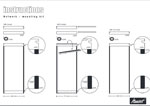
Mounting kit guides
[one_third class=”Template” last=”no” ]
Mounting kits
Here is an instruction guide for applying Maxibit Network mounting kits.
[/one_third]
[one_third class=”Template” last=”no” ]
[/one_third]
[one_third class=”Template” last=”no” ] [/one_third]
[one_third class=”Template” last=”no” ]
All-in-one double desk graphics
Here is an instruction guide for making the graphics to Maxibit’s All-in-one double desk.
[/one_third]
[one_third class=”Template” last=”no” ]

[/one_third]
[one_third class=”Template” last=”no” ] [/one_third]
[/tab]
[tab id=”tab5″]
[one_third class=”Videos” last=”no” ]
YouTube: setup video for Network
[/one_third]
[one_third class=”Videos” last=”no” ]
[youtube video_id=”gD1aEHulFKY” width=”640″ height=”360″ ]
[/one_third]
[one_third class=”Videos” last=”yes” ][/one_third]
[space]
[clear]
[one_third class=”Videos” last=”no” ]
YouTube: Ispirational Video – Tacton
Made by: Care of Haus
[/one_third]
[one_third class=”Videos” last=”no” ]
[youtube video_id=”4m8WZ17eXLQ” width=”640″ height=”360″ ]
[/one_third]
[one_third class=”Videos” last=”yes” ][/one_third]
[/tab]
[tab id=”tab6″]
[one_third class=”Setup” last=”no” ]
Network setup instructions
Here is a Stage setup instruction for Network.
[/one_third]
[one_third class=”Footprint_pdf” last=”no” ]

[/one_third]
[one_third class=”Product sheet last” last=”yes” ] [/one_third]
[space]
[one_third class=”Setup” last=”no” ]
Network frost setup instruction
Here is a setup manual with examples for Network frost.
[/one_third]
[one_third class=”Footprint_pdf” last=”no” ]

[/one_third]
[one_third class=”Product sheet last” last=”yes” ] [/one_third]
[/tab]
[/tabs]
[clear]
[space]
[space]